Email Change Instructions Starting 12/28/2011
In general terms, regardless of what email client software you are using (Outlook 2003, Outlook Express, Blackberry, etc) all that needs to be done is to change every reference of niederstmanagement.com and Niederst Management to nmresidential.com and NM Residential respectively.
For specific settings that require change in Outlook Express 6, read on:
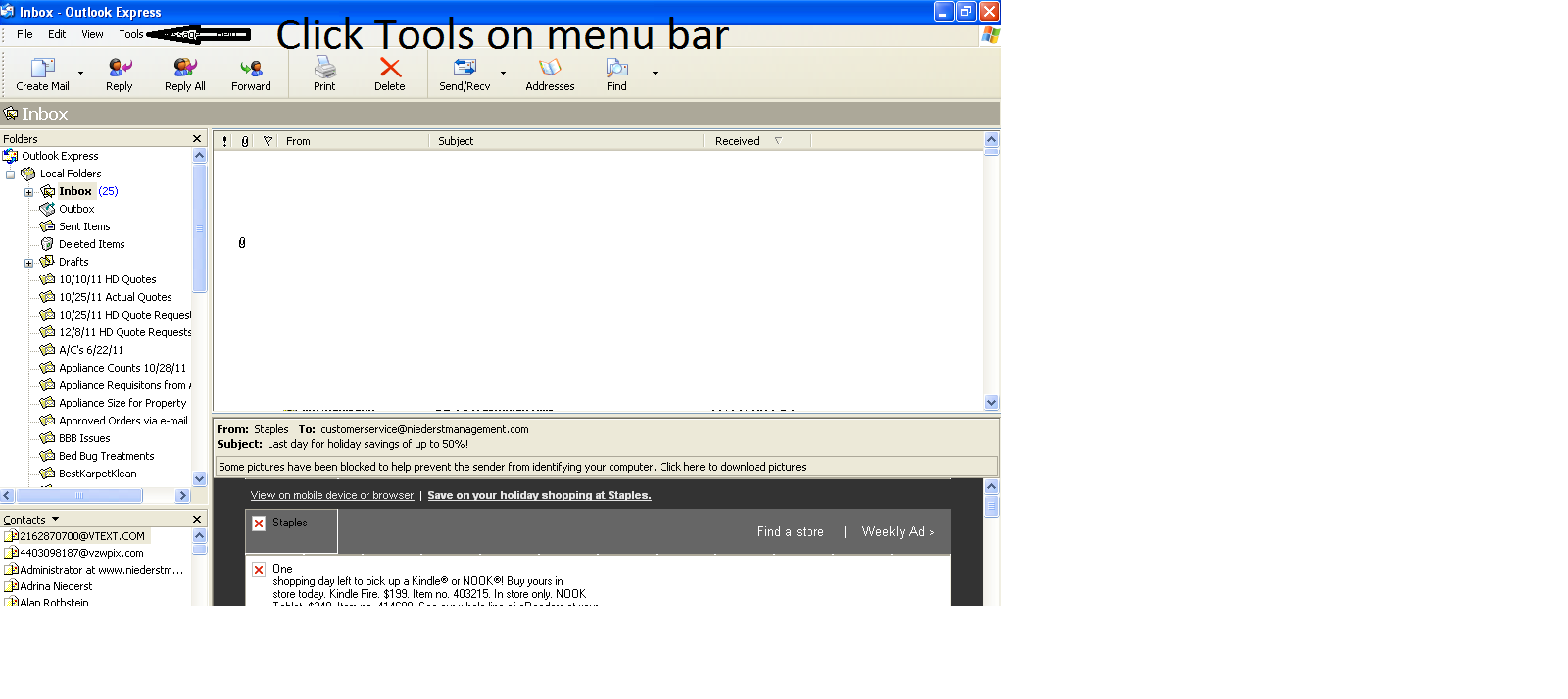
1) Open Outlook Express 6
2) Click Tools (shown below)
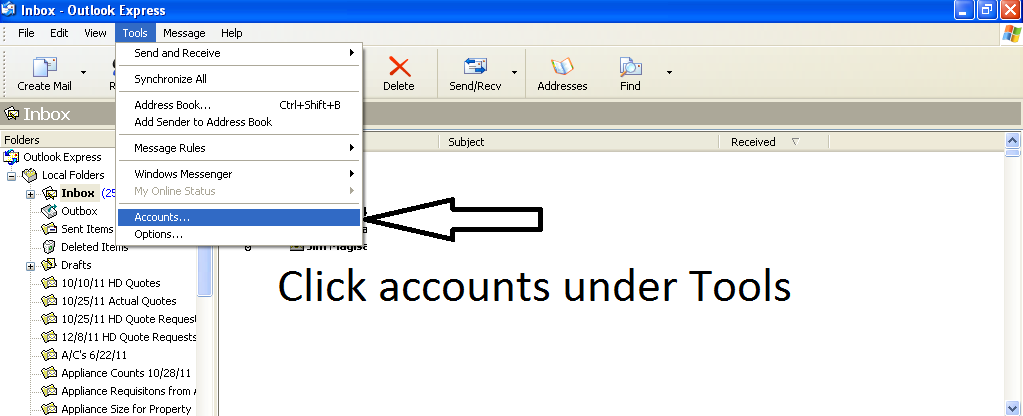
3) Click Accounts (shown below)
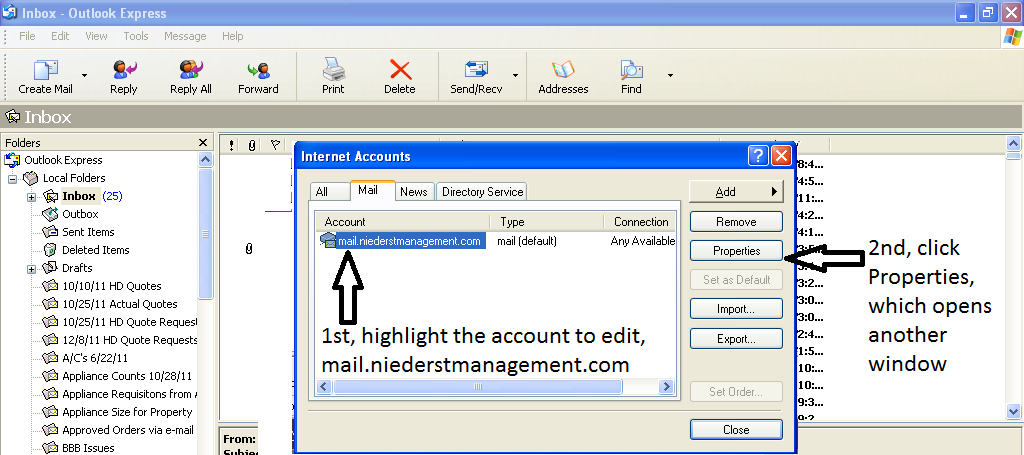
4) Select the account you wish to change then click the Properties button (shown below)
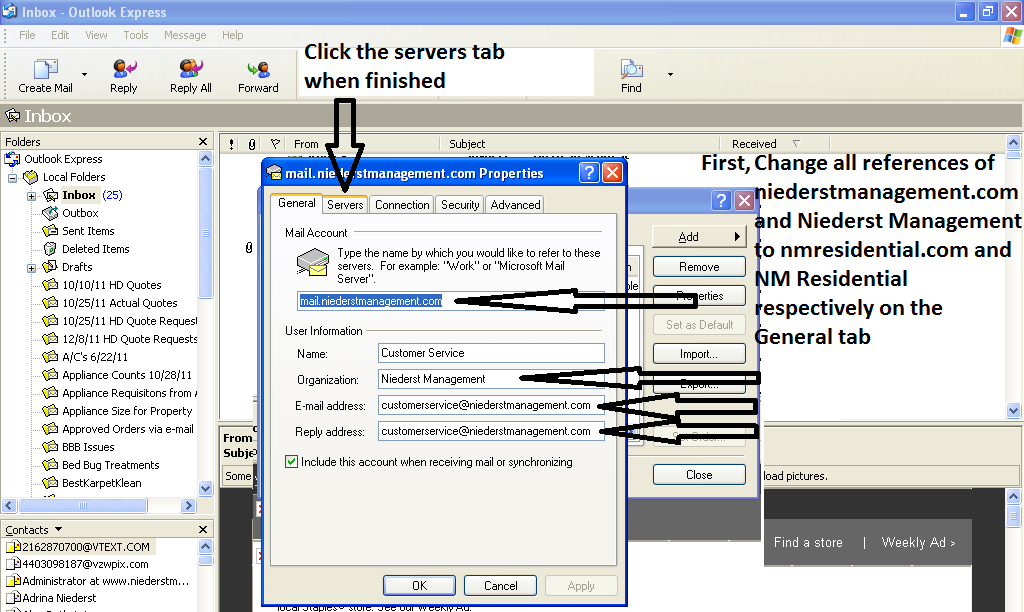
5) On the General tab replace all references to niederstmanagement.com with nmresidential.com as indicated with arrows. Also replace Niederst Management with NM Residential. When finished editing the fields indicated below, click the Servers tab (shown below)
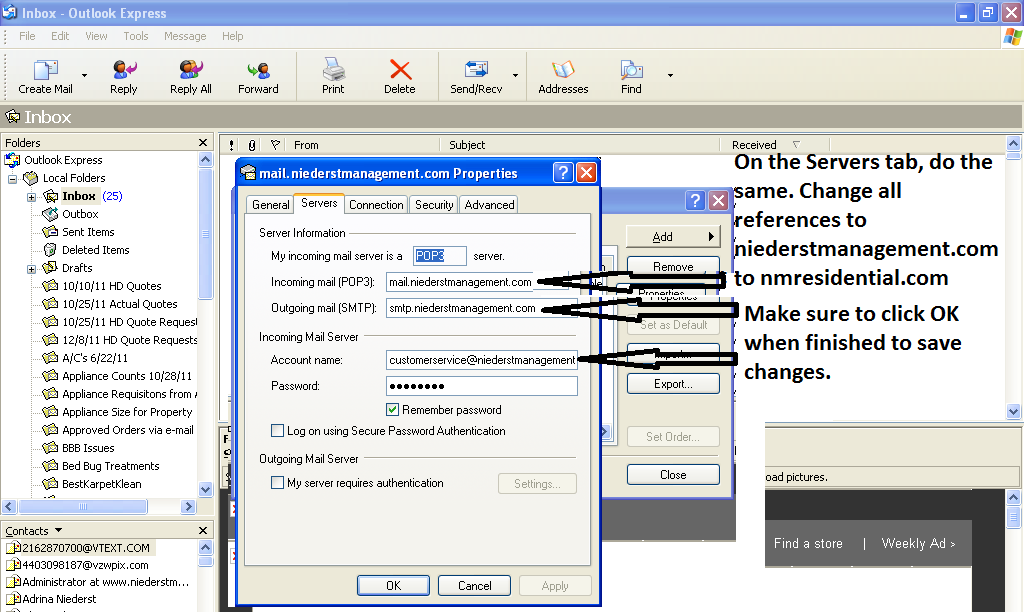
6) On the Servers tab change all references to niederstmanagement.com to nmresidential.com and click OK when finished editing.
7) When finished a test email must be sent to youraddress@nmresidential.com to activate your account from another account. If the administrator set up your account this has already been done. That's it! All other settings including passwords remain the same.